
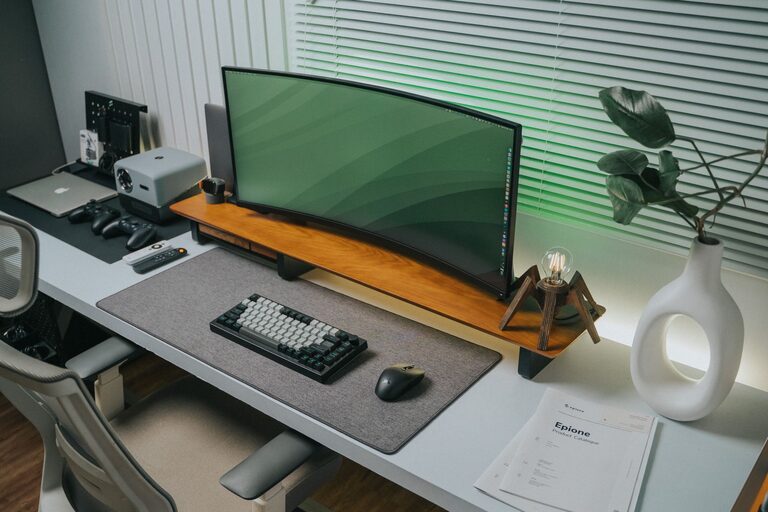
Tips for Organizing a Clutter-Free and Efficient Home Workspace
Creating a functional and clutter-free home workspace can significantly improve your productivity and overall well-being. Whether you work remotely, manage household tasks, or simply need a dedicated spot for creative projects, having an organized space makes all the difference. In this post, we’ll explore helpful tips to design an efficient home workspace that keeps clutter at bay and supports your daily tasks.
Why an Organized Workspace Matters
A tidy workspace isn’t just about aesthetics. When your work area is cluttered, it can lead to distractions, increased stress, and difficulty focusing. An organized environment helps maintain mental clarity, saves time searching for supplies, and encourages a smoother workflow.
Steps to Create a Clutter-Free Home Workspace
1. Choose the Right Location
Finding the best spot for your workspace is the first step. Ideally, pick a quiet area with natural light to boost mood and energy. It should be a space you can dedicate solely to work, minimizing interruptions.
2. Declutter Regularly
Keep only what you truly need on or around your desk. Sort through papers, office supplies, and tech gadgets and store or discard anything unnecessary. Make decluttering a weekly habit to prevent buildup.
3. Invest in Functional Furniture
Select a desk and chair that suit your needs and comfort. Adjustable chairs support good posture, and desks with built-in storage compartments help keep essentials within reach without cluttering the surface.
4. Use Storage Solutions Wisely
Organize supplies with bins, drawers, and shelves. Label containers to find items quickly. Consider vertical storage options like wall-mounted shelves or pegboards to free up desk space.
5. Manage Cables and Tech Accessories
Tangling cords can quickly make a workspace look messy. Use cable organizers, clips, or sleeves to bundle cords neatly. Wireless devices like keyboards and mice can reduce cable clutter significantly.
6. Create a Paper Management System
Paper clutter is common in home offices. Use file folders, trays, or a filing cabinet to sort documents by category. Go digital wherever possible by scanning important papers and backing up files.
7. Keep Personal and Work Items Separate
While personal touches can make your workspace inviting, avoid overcrowding the area with decorations or unrelated items. A few meaningful items like a plant or photo are perfect, but maintain balance.
8. Optimize Lighting
Good lighting reduces eye strain and keeps you alert. Supplement natural light with adjustable desk lamps or overhead lights that don’t cast harsh shadows or glare on your screen.
Daily Habits to Maintain an Efficient Workspace
– End each day tidying your desk. Put away supplies, organize notes, and clear the surface for tomorrow.
– Prioritize tasks with a to-do list. Having a clear plan helps avoid unnecessary clutter and distractions.
– Limit eating or drinking at your desk. It reduces mess and keeps the area cleaner.
– Take short breaks away from your workspace. This promotes mental clarity and prevents burnout.
Additional Tips for Comfort and Productivity
– Personalize your workspace with ergonomic accessories like a wrist rest or footrest.
– Use noise-canceling headphones or white noise machines if background distractions are an issue.
– Incorporate plants or natural elements to improve air quality and create a relaxing environment.
Final Thoughts
Organizing a clutter-free and efficient home workspace is an ongoing process that requires thoughtful planning and regular maintenance. By applying these straightforward tips, you can create a productive environment tailored to your needs — one that inspires focus and creativity every day. Start small, make adjustments as needed, and enjoy the benefits of a well-organized home office.
